

180W Lenovo/FSP FSP180-20TLA Power Supply for lenovo V50T
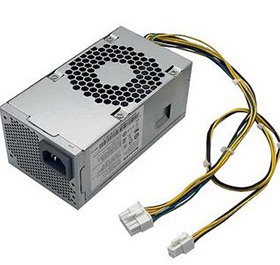
Lenovo FSP180-20TLA Power Supply

For Lenovo 10 pin small power supply HK280-73PP 00PC790 FSP180-20TLA 180W
180W PSU Power Supply 10+4Pin FSP180-20TLA PCJ010
Quality: High Quality and Each power supply is tested before shipping.
Part Number: FSP180-20TLA
Max Output Power: 180W
New,6 Months Warranty,30 Days Money Back!
- CAD $
| Quantity | Unit Price ($) |
| 2-5 | |
| 6-10 | |
| 11-30 | |
| Order More? Contact Us | |
For LENOVO/FSP FSP180-20TLA ThinkCentre Desktop SFF 180W Power Supply 10+4Pin 00PC790 PSU
AC Input :
100-240V 50/60HZ 3A
DC Output :
+12V 15A
-12V 0.2A
180W
Output interface:
1X motherboard 10PIN,
1X CPU 4PIN
Part No. HK280-73PP, 00PC790, SP50H29580, PA-2181-3, PCJ010, FSP180-20TLA
Compatible For lENOVO Desktop:
Lenovo m7300, Lenovo m4300, Lenovo m7330, Lenovo m7150, Lenovo m7360, Lenovo m4350
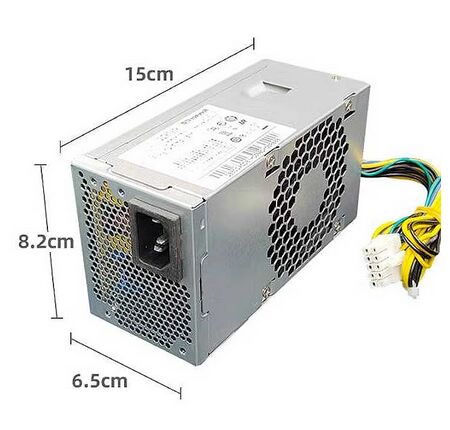
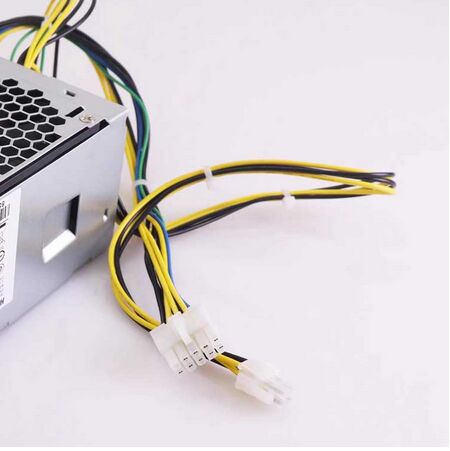
How to Choose a Lenovo PC Power Supply
Choosing the right power supply (PSU) for your Lenovo PC is crucial, as Lenovo desktops (especially pre-builts like ThinkCentre, IdeaCentre, Legion, ThinkStation) often use proprietary connectors and form factors. Using an incompatible PSU can damage your PC or simply not fit. Here are essential tips:
1. Find Your Exact Model Number
heck stickers on the PC case or go to Settings > System > About in Windows.
Example: ThinkCentre M90s, Legion T5 26AMR5
2. Use Genuine Lenovo Parts (Recommended)
→ Most Lenovo PCs use proprietary PSUs (special size/connectors).
→ Search the Lenovo Support Site with your model:
Find the Hardware Maintenance Manual (HMM).
Note the PSU part number (FRU/PN).
→ Buy this exact part: FSP180-20TLA
3.Check Wattage
→ Match the original FSP180-20TLA PSU’s wattage (e.g., 300W, 500W).
→ Upgrading GPU/CPU? Add 20-50% extra wattage.
Power Supplies
- Power Supply For Acer
- Power Supply For Dell
- Power Supply For Delta
- Power Supply For FSP
- Power Supply For HP
- Power Supply For Hikvision
- Power Supply For Lenovo
Top Search
Replacement For:- dell H240ES-00
- dell D220AS-00
- dell L290EM-01
- hp D16-250P2A
- hp D16-180P1B
- hp D16-180P3A
- hp 508152-001
- lenovo HK310-71PP
- lenovo HK280-72PP
- delta DPS-200PB-185B
- fsp FSP300-60GHT
- Hikvision KSA-300S2
- dell D290EM-00
